


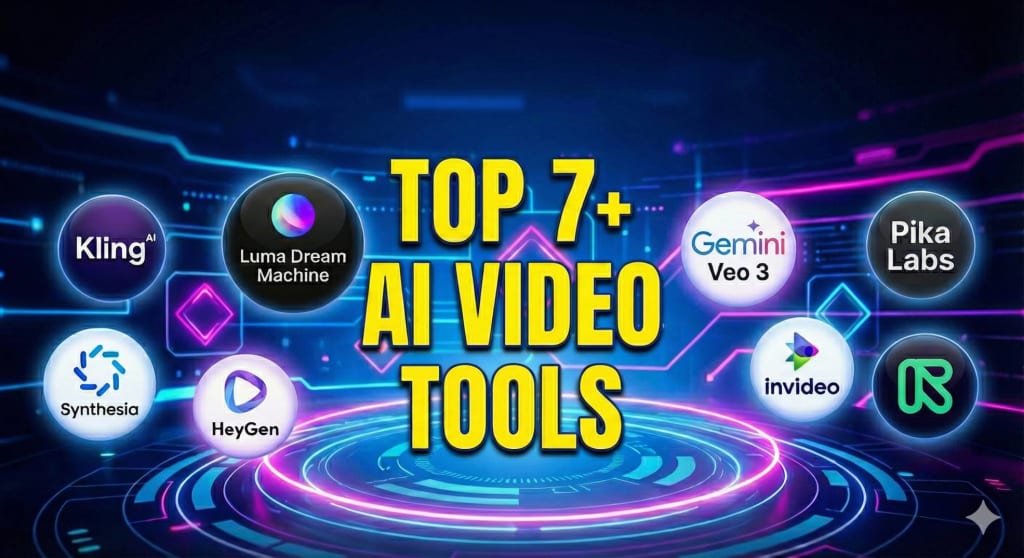
One of the very best AI video generation tools on the market for generating AI videos is a program that uses artificial intelligence to create high-quality videos from text, images, or a script. By 2026, companies such as Runway, Sora and Synthesia will dominate this industry with technology which produces a very realistic look and feel, allows users to automate the process of creating a video, and produces a final product much faster than manual methods.
1. Runway Gen-4
Runway provides an entire end-to-end solution for content creators, including editors and small video production companies who require innovative methods of generating new videos with extremely powerful post-production features as well. Runway is capable of generating videos from text (text-to-video), images (image-to-video), and existing videos (video-to-video).
Pros
- Very high-quality Gen-4 model; very robust, consistent motion, era coherent character;
- Completion of the entire workflow: generation, editing, composite painting, greenscreen, etc…;
- Used frequently in the professional creator workflow/agency space.
Cons
- Credit system can be costly when used extensively.;
- The Free tier includes watermarks, maximum 720p quality, and a long queue.
Price:
- Free – 0 USD
- Standard – 12 USD/month (144 USD/year)
- Pro – 28 USD/month (336 USD/year)
- Unlimited – 76 USD/month (912 USD/year)
- Enterprise – custom pricing with team features and SLA.
My Opinion (Should I subscribe?):
If you’re a serious YouTuber, editor, or agency, then yes it’s worth subscribing to gain more control and editability. If you’re just an occasional user or making social media clips, I suggest you stick with the free tier or a lower-cost tool.
2. Pika Labs
Pika Labs builds up fast-paced and creative elements like stylish clips; perfect for social media marketing efforts, as well as concept art and experimental short form video endeavors! It supports working with text to create your video, using an image as the starting point for your next creation, and working off of previous videos to generate new ones; with particular focus on camera movements, framing, and visual effects (like zooms, pans, and particle effects).
Pros:
- Creative output and format great for social and short videos or concepts, user-friendly interface
- Ability to build videos based on images; video and camera motion control
- Ease of generating content, active community, frequent updates.
Cons:
- Pricing and credit system is complex and can become quite expensive
- Watermarks for most low-cost plans and non-commercial use restrictions
- Large-scale productions will have price barriers (2022).
Price:
- Basic (Free) – 0 USD
- Standard (Monthly) – 10 USD/month
- Pro (Yearly) – 576 USD/year (about 48 USD/month)
- ~36,000 credits/year (3,000/month), upscale, watermark‑free, unlimited Chill, credits do not expire.
- Common 3rd‑party breakdown (older but still circulating)
My opinion (should I subscribe):
If you’re interested in creating viral content and experimenting while having fun, this is a great tool for short-form content, subscribe if you are talented and consistently producing short-form content! Otherwise, the credit pricing is a big concern for predictable and affordable large-scale production – strongly recommended to run free versions to fully test capabilities before subscribing.
3. Kling AI
Kling AI is marketed as a premium generative video tool that excels at creating realistic output with fluid motion and lifelike physics, making it a boatload of competitive stock footage. The resulting films produced by Kling AI tend to look like actual documentaries due to the natural way the camera moves, the lifelike rendering of light, and the highly realistic representations of water, clothing, foliage and people.
Pros:
- The video quality is as good, or better than Runway at a lower price.
- Realism, physics, and human motion are all very realistic. Good for stock replacement.
- Advanced features, such as Elements and lip sync, enable better shot direction.
Cons:
- The UX and access may appear more technical and less polished than mainstream SaaS tools.
- Documentaiton and ecosystem are still developing compared with older competitors.
Price (guess):
- Free: $0 – 166 credits (~2-3 sec video)
- Standard: $6.99/mo – 660 credits (~10 sec video)
- Pro: $25.99-37/mo – 3,000 credits (~45 sec video)
- Premier: $64.99-92/mo – 8,000 credits (~2 min video)
- Ultra: $180+/mo – 26,000 credits (heavy production)
My Opinion:
- I think if you’re concerned with realism and want a low-cost alternative to Runway for B-Roll or stock-style videos, then it is certainly worth considering.
- For business explainer, avatar, or similar videos there may be better tools available.
4. Google VEO 3
Model VEO 3 by Google is the premiere Text to Video (T2V) technology that can create longer-form cinematic style video clips based on detailed user prompts (including storylines). Video detail must typically include coherent motion within scenes, consistent subjects throughout the video, and careful management of both light and depth in order to create a “filmic” effect.
Pros:
- The Video 3 platform produces professionally produced video via the Google Video 3 platform with excellent lighting, articulation of the camera, and sound options as well.
- Video 3 performs better on longer shots, and keeping all the shots in order is less challenging than several similar products on the market.
- Video 3 is integrated with the Gemini service, which allows for the process of writing a script and producing the video together as one workflow.
Cons:
- Access to Video 3 is only available through Google AI plans; currently, it is not a simple standalone product for non-technical users.
- Video 3 is still in its infancy, so many features (UI, export controls, etc.) have not been as polished as those on specialised creator products.
Price:
- Google AI Plus (₹199): Get more access to new and powerful features to boost your productivity and creativity, and get 200 AI credits to create videos
- Google AI Pro (₹0 For First Month Then ₹1,950): Get higher access to new and powerful features to boost your productivity and creativity, and get 2,000 AI credits to create videos
- Google AI Ultra (₹24,500): Unlock the highest level of access to boost the Google AI exclusive features and get 25,000 AI credits to create videos
My Opinion:
If you are currently in the Google ecosystem and require high-quality video, then subscribing to Video 3 is recommended.
If you are just looking to create quick social media content or marketing videos, you may be better served by one of the more practical options, such as Pika or InVideo.
5. Luma Dream Machine
The Luma Labs Dream Machine’s model focuses on producing high-quality video based on text or image input and emphasizes the production of videos in a stylized and cinematic manner. Artists and concept designers utilize the Luma Labs Dream Machine for transforming static concept art into moving video sequences, camera fly-throughs, or samples of the conceptual mood for presentations or pre-visualizations.
Pros:
- Provides very impressive stylized and cinematic elements to photographs.
- Has excellent physics and motion; enables for excellent motion/animation of the environment and camera movements.
- Available via multiple platforms, such as OpenArt, for multi-model workflow capabilities.
Cons:
- Less concentrated on the entire editing process and greater emphasis on creation of raw generative clips.
- Licensing and usage rights can vary based on the method of accessing it from the platform.
Price:
- Free: $0 – Limited credits, watermarks, draft quality
- Lite: $9.99/mo ($7.99/mo annual) – 3,200 credits, 4K up-res
- Plus: $29.99/mo ($23.99/mo annual) – 10,000 credits, commercial use
- Unlimited: $94.99/mo ($75.99/mo annual) – 10,000 fast + unlimited relaxed
My Opinion:
Great for further product development for creativity and for creating mood/concept videos. Not the best option for those who require a complete “script to completed advertisement” type of workflow.
6. Synthesia
Synthesia is an AI video platform that specializes in creating business-related avatar-style videos, which include training and onboarding videos, explanations, and internal communications for corporate use. Rather than recreating real-life settings, Synthesia generates lifelike virtual presenters to deliver content in over 100 different languages and accents.
Pros:
- The platform has a wide variety of realistic avatars, with over 140 languages available for voiceover.
- The slide style of the editor is simple enough to use that even those on non-technical teams can create training videos and sales videos quickly.
- The platform offers enterprise-level features in their higher-tier plans, such as brand kits, collaboration tools, and single sign-on options.
Cons:
- The platform is not a general cinematic text-to-video generator and is primarily a “talking head” style generator.
- The pricing is generally higher than that of consumer-grade tools, and most plans require a business-oriented structure.
Price:
- Free: $0 – 3 min/mo, watermarks, basic avatars
- Starter: $29/mo ($18/mo annual) – 10 min/mo, 125+ avatars, downloads
- Creator: $89/mo ($64/mo annual) – 30 min/mo, API, personal avatars
- Enterprise: Custom – Unlimited storage, SSO, unlimited avatars
My Opinion:
If your blog’s audience consists of primarily B2B, L&D, or SaaS teams creating explanation and training videos, then the answer is a resounding YES.
On the other hand, if you are a solo creator and your primary focus is on creating cinematic or meme-style clips, then the platform will be overkill for you.
7. InVideo
The InVideo AI Software is a customizable all-in-one tool that allows users to take simple script ideas or short prompts and convert them into complete marketing-style/YouTube-style produced videos. The InVideo AI Software enables users to quickly produce complete marketing-style videos without any editing experience. The InVideo AI Software includes a script generator, scene breakdown tool, stock video clips, transition tools and pre-generated subtitle templates along with an AI voiceover.
Pros:
- It can create all the pieces needed to produce a video (script, scene, B-roll, and audio narration) in the same process. This is especially useful for marketers.
- It has templates for YouTube, TikTok, Reels, and advertising.
- For non-tech users and for marketers and companies producing a lot of content, it’s an excellent resource.
Cons:
- If you do not manually edit the output, the output may look like it follows a template.
- When it comes to generative video content, there are more advanced models available, such as Kling, Veo, and Runway Gen-4.
Price:
Studio plans (template‑based editor)
- Free (Studio) – 0 USD
- Business – 30 USD/month
- Unlimited – 60 USD/month
AI Co‑Pilot (InVideo AI) plans
- Free (AI Co‑Pilot) – 0 USD
- Plus – around 25–28 USD/month
- Max – around 48–60 USD/month
My Opinion:
If you are a content marketer or a faceless-channel owner and your focus is speed rather than on producing the highest possible video quality, you should subscribe.
If your hyper-unique selling proposition is to produce the most ultra-realistic adam boorman visuals, then you should use this product in conjunction with an additional source, such as Runway or Kling, to enhance the effectiveness of your business.
8. HeyGen
HeyGen is a platform focused on creating avatar style videos where the Lip Sync and Facial expressions of avatars are purposely designed to be as real as possible, making it great for use with Spokesperson and UGC style videos. It is similar to Synthesia in that it allows users to choose or create their own avatar, add a script, then generate a talking head video in multiple languages for product demonstrations.
Pros:
- ‘Realistic looking avatars and lip sync with speech’, ideal for presenters and VO in product videos and UGC-style ads.
- A multitude of voices and languages allow for easy translation and localization
- Can be accessbile and simple for non-technical teams via the web.
Cons:
- Because of its narrow intended usage, it is not designed to assist in creating cinematic-style B-roll and complex types of scenes.|
- The pricing model caters to the needs of businesses as opposed to the hobbyist.
Price:
- Free: $0 – 3 min/video max, 720p, watermark
- Creator: $29/mo ($24/mo annual) – Unlimited avatars, 30 min/video, 1080p
- Team: $39/mo/seat ($30/mo annual) – 4K, collaboration, min 2 seats
- Enterprise: Custom – API, custom avatars, MFA
My Opinion:
If having scalable* “human presenter” video capabilities in multiple languages is important to your blog or start up audience, I would recommend this tool.
If your video content will primarily consist of unique, artistic, or generative imagery (e.g., VFX), I would not recommend it.